Lists you run with one thumb.
do2do2do is a to-do app with almost no buttons. Swipe to tick things off, pull to add, pinch to make room, drag to tidy. Your lists keep up with your head instead of slowing it down.
iPhoneiPhone DuoiPadMacApple WatchApple Vision ProSiri and Shortcuts
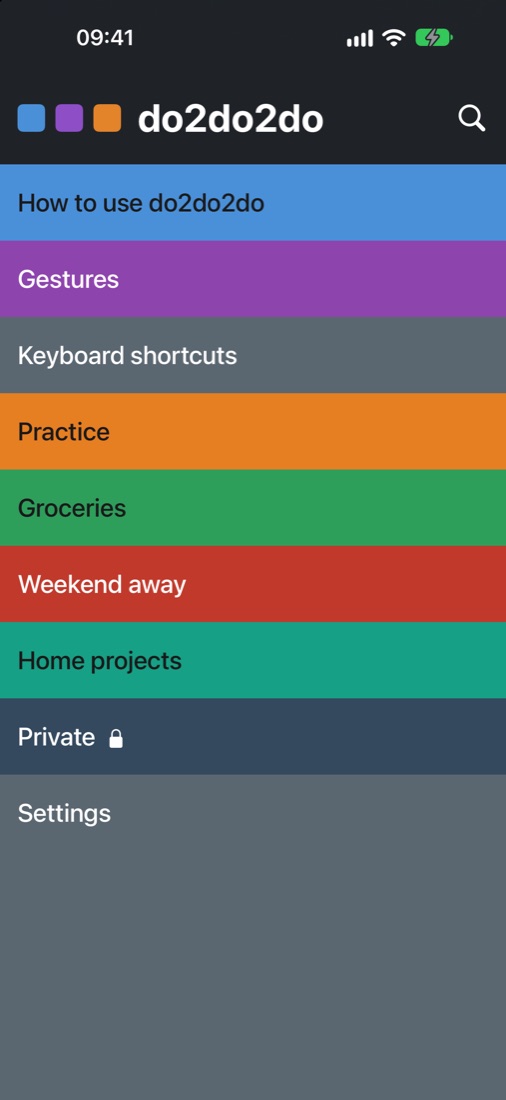
Every list is a colour Tap to open
Every action is a gesture Swipe, pull, pinch, drag
Every mistake can be undone Shake, or tap Undo
Gestures No buttons to hunt for
Your fingers already know how to use it.
Each item is a row you can push around. Swipe it right and it’s done, with a satisfying tick. Swipe it left to tuck it into the Archive; keep going and it’s deleted. Nothing hides behind menus.
Swipe rightTick it off
Swipe leftArchive it, or further to delete
Pull downAdd at the top
Pinch apartAdd between two items
Hold and dragReorder, or nest under another
ShakeUndo
Every gesture has a little haptic tap, so you feel it land. VoiceOver can do all of it too, and with Reduce Motion on, rows stop sliding and springing.
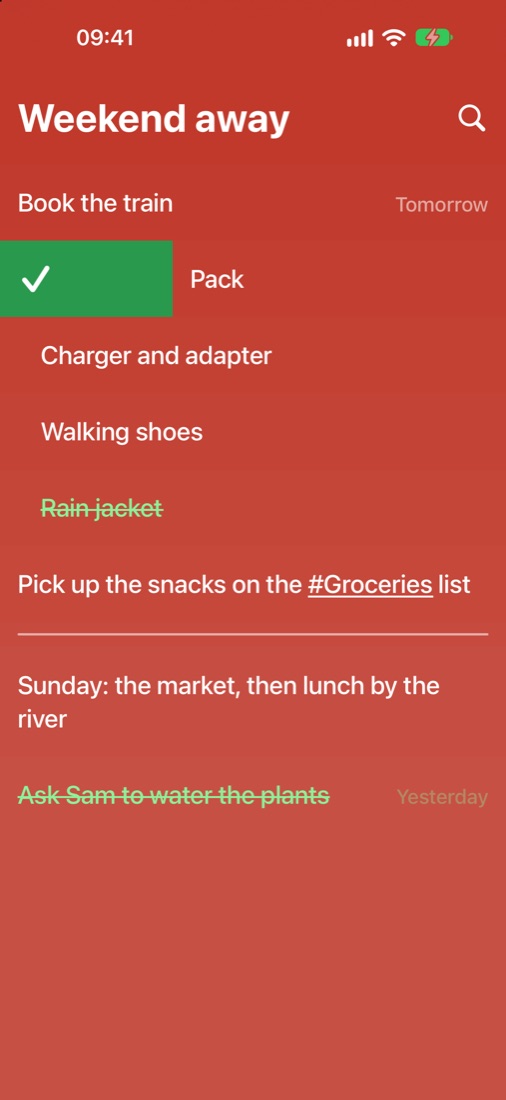
Weekend away Lists, items, sub-items
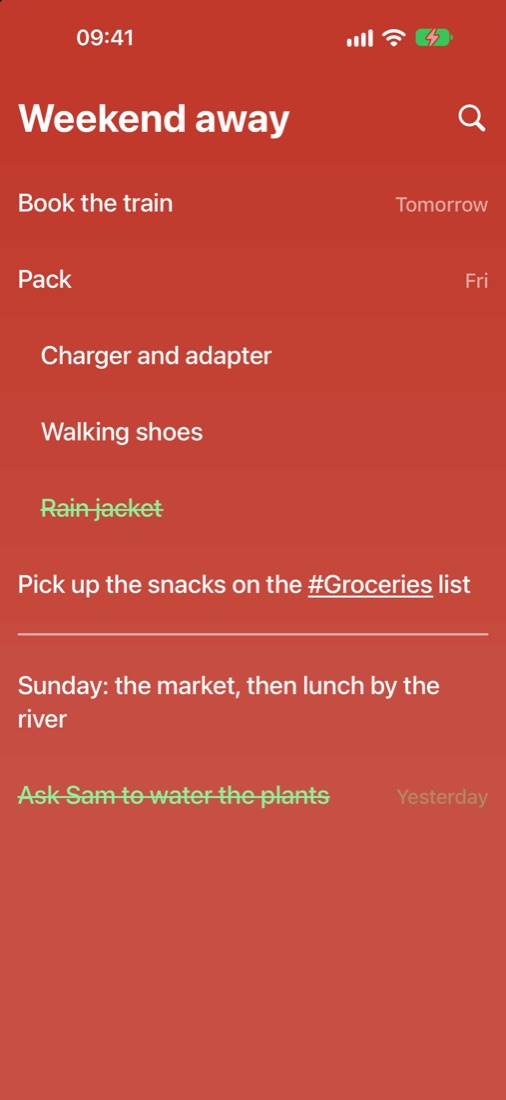
Big jobs break down into small ones.
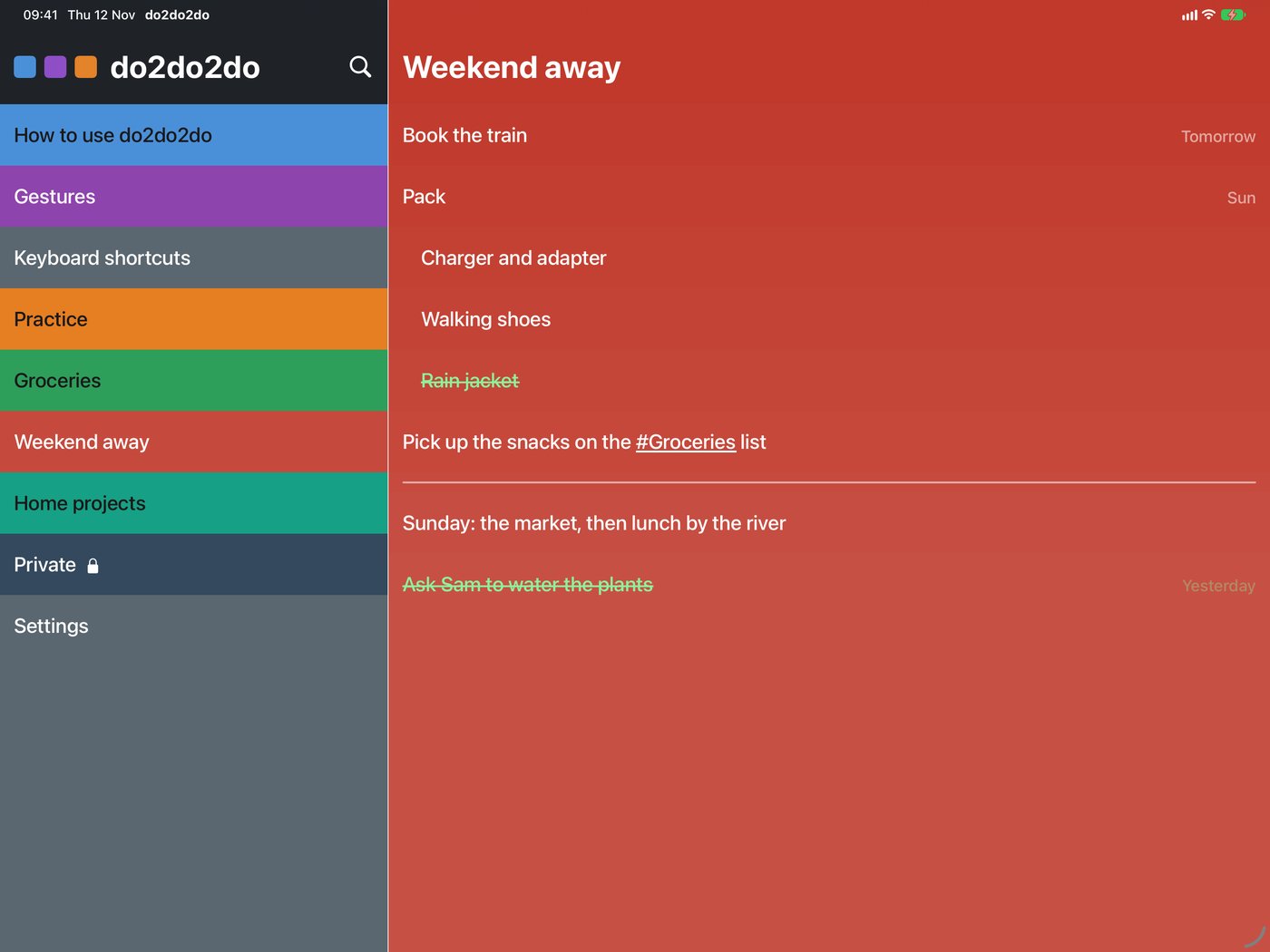
A list holds items, and an item can hold sub-items. “Pack” gets its charger and walking shoes underneath; “Paint the spare room” gets its colour and its floor. Three levels, enough to plan anything without getting lost.
Link your lists
Type # in an item and pick a list. “Pick up the snacks on the #Groceries list” opens Groceries with a tap.
Draw a line
Pinch further apart and you get a divider, to split Saturday from Sunday.
Done stays tidy
Ticked items slide below the rest. Untick one and it goes back exactly where it was.
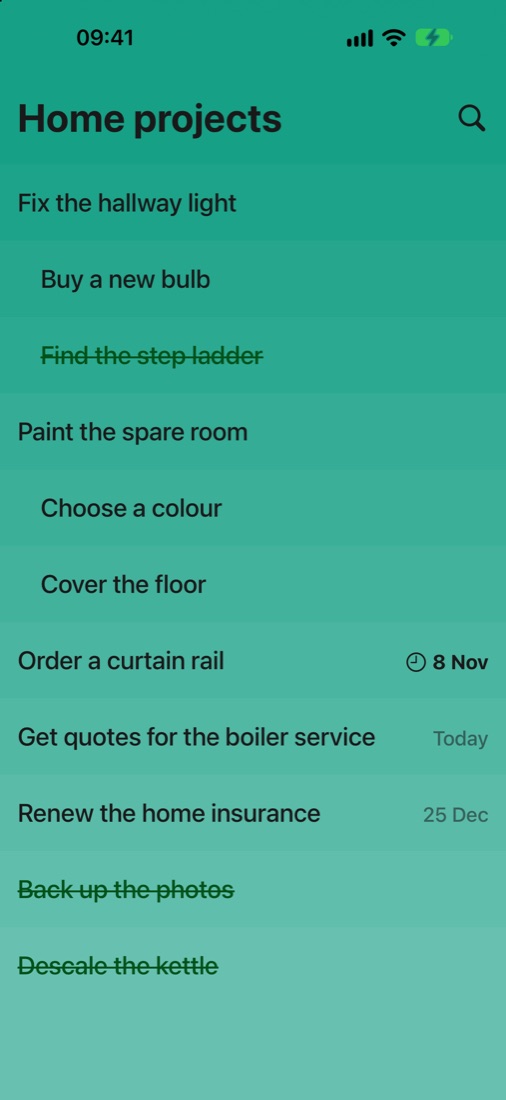
Home projects Due dates and reminders
Write the date the way you’d say it.
Type “call Sam fri” or “pay rent by 1 Dec” and do2do2do offers the date right above the keyboard. One tap and the words become a date. Or tap the calendar button and pick one.
Plain words
Today, Tomorrow, Fri, 17 Dec. Overdue turns bold with a little clock, so it catches your eye.
A nudge on the day
A reminder rings at the time you choose, and you can tick the item off right from the notification.
Settings Themes, text, spacing
Make it look like yours.
Each row is a shade lighter than the one above, so a list reads like a fading stack of colour. Pick System, Light or Dark, or go further with Rainbow and Hacker. Text size, line spacing and padding are all a slider away.
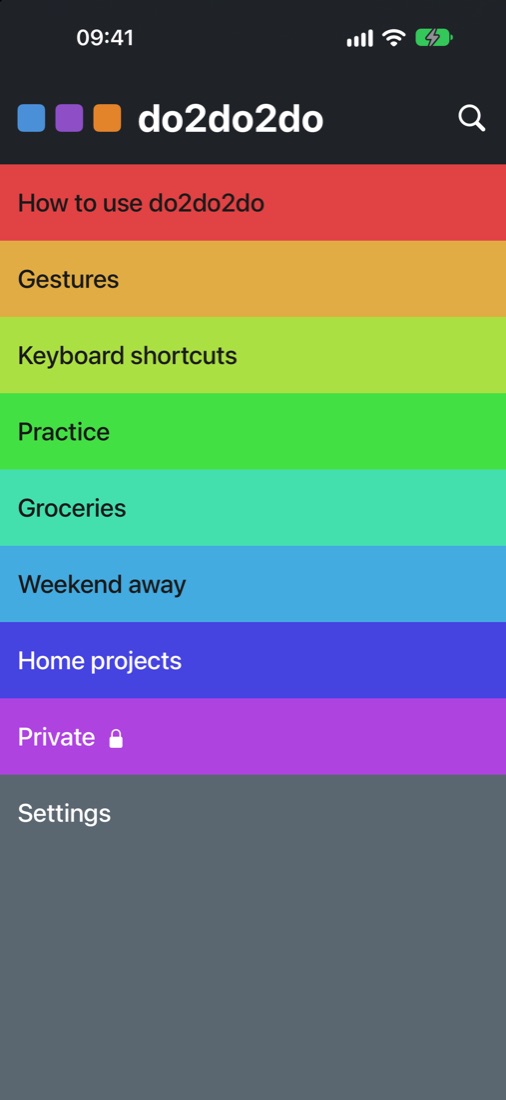
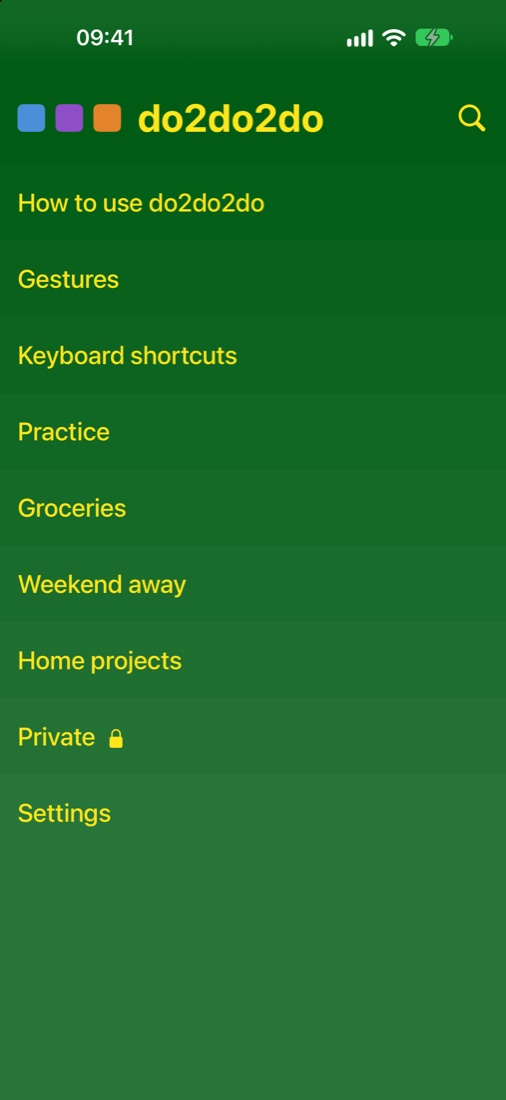
Private Locked lists
Some lists are nobody else’s business.
Lock a list with a long swipe and it asks for Face ID, Touch ID or your passcode before it opens. Its items stay out of search, and its reminders say only “A reminder in a locked list”. Hand someone your phone without a second thought.
Everywhere iPhone Duo, iPad, Mac, Apple Watch and Vision Pro
One set of lists, every screen you own.
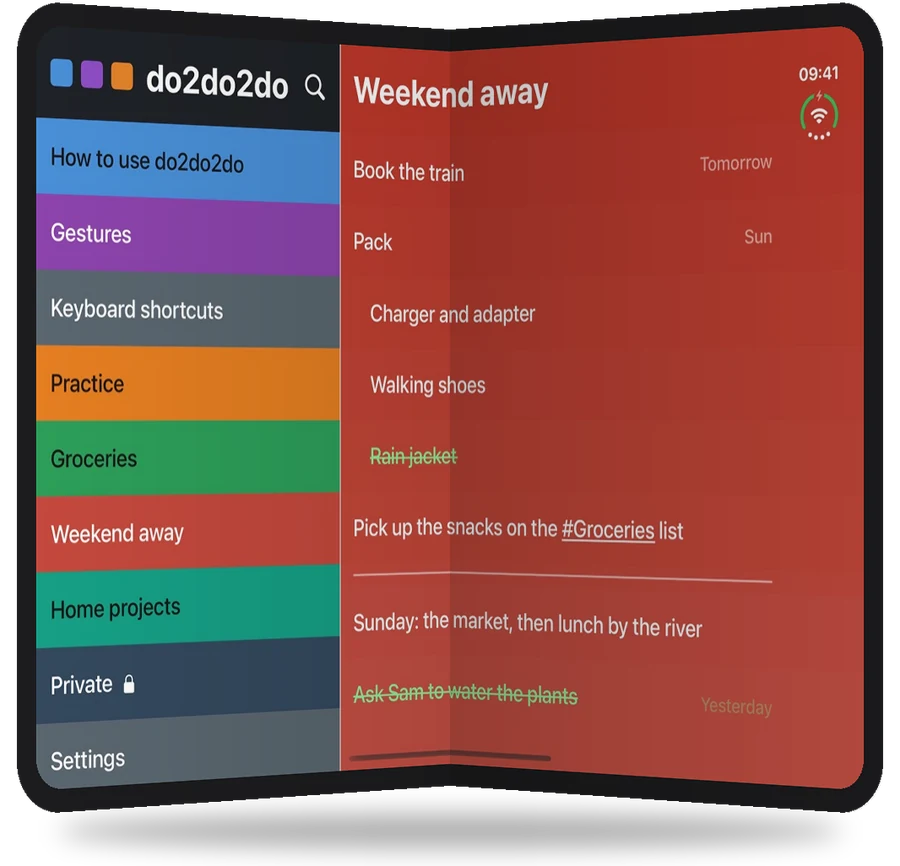
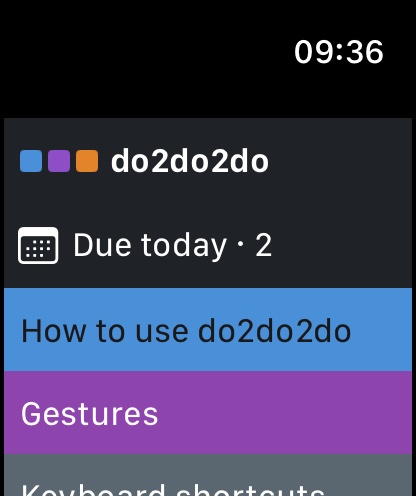
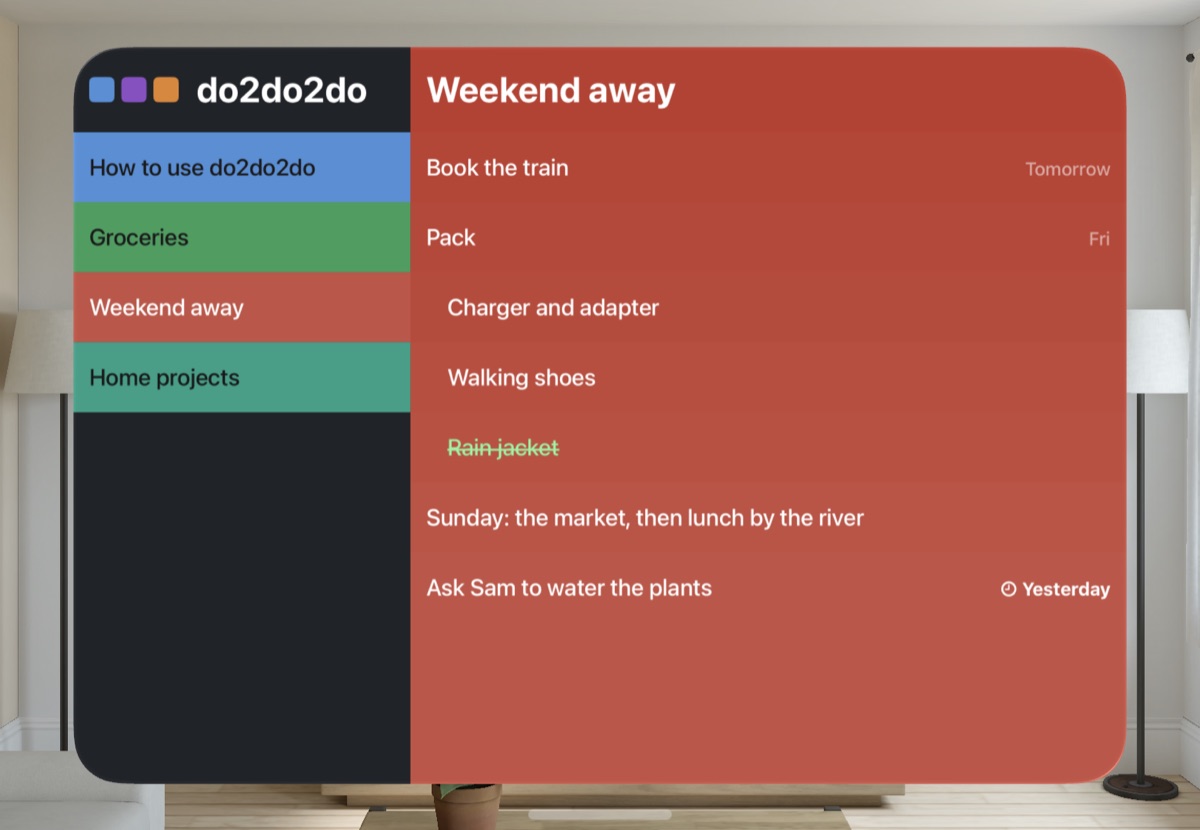
On iPad, on iPhone Duo opened up, and on an iPhone turned sideways, your lists sit beside the one you’re working on; drag an item across to move it. Fold the Duo and it’s a one-handed iPhone again, still on the same list. The Mac version has a proper menu bar and a keyboard shortcut for everything. On Apple Watch, see what’s due today, tick things off with a tap and add by dictation. And on Apple Vision Pro, your lists sit beside the open one in the same colours, with the same swipes: pinch and drag to tick off, archive or delete.
Hands free Siri, Shortcuts and Claude
Just ask.
Say “What’s due today in do2do2do” or “Add items to Groceries in do2do2do” and Siri does the rest. Build your own shortcuts from more than twenty-five actions, like resetting a packing list every Friday. On the Mac, Claude can plan a project straight into a list for you, and only when you’ve switched that on.
Practice Learn by doing
It teaches you itself.
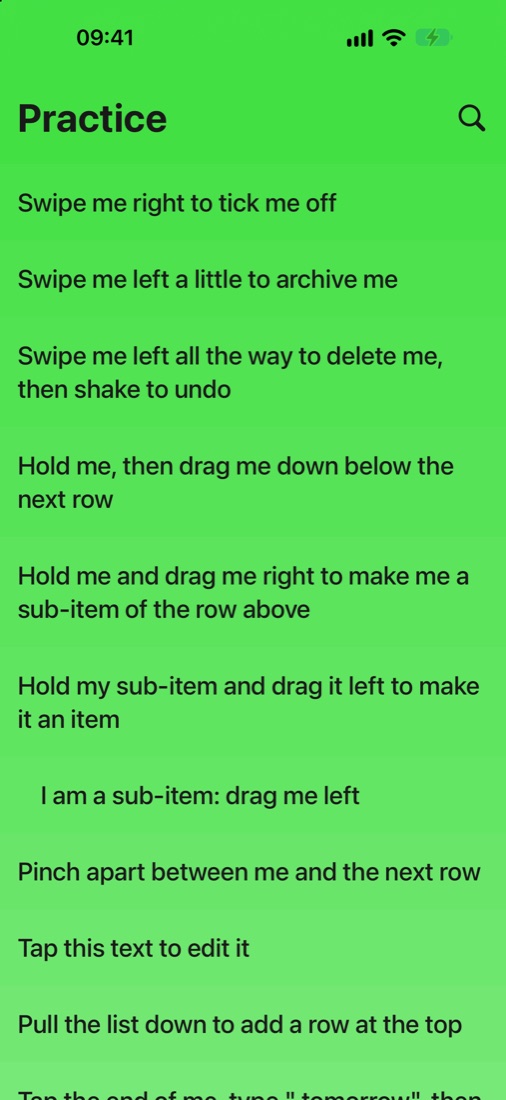
do2do2do comes with a Practice list whose rows tell you what to do to them: “Swipe me right to tick me off”, “Pinch apart between me and the next row”. A minute later you’re fluent. Guides to every gesture and shortcut sit right there among your lists.
Start with one list.
Groceries, a weekend away, the jobs around the house. Open do2do2do, pull down, and type. You’ll wonder why lists ever needed buttons.
Free
Every gesture, sub-items, links, due dates and reminders, search, the Archive, the Watch and Vision Pro apps, Siri and Shortcuts, and the System, Light and Dark themes.
Pro
Coming soon, for £1.99 a year, or £4.99 once for life and shared with your family: locked lists and the Rainbow and Hacker themes. iCloud sync across your devices and shared lists are on the way.